Workflow Automation for Orange County Service Businesses: What Changes When the Process Runs Itself
By Ben Williamson, Orange County AI Guy
Every service business runs on workflows. The sequence of steps that happens when a new lead comes in. The process that follows a completed appointment. The series of actions that should occur when a client has not returned in 90 days.
In most Orange County service businesses, those workflows exist. They just exist in someone's head, or on a checklist that gets followed inconsistently, or as a series of calendar reminders that occasionally get missed. The workflow is not the problem. The dependency on a human to execute every step, every time, correctly, is the problem.
I am Ben Williamson, the Orange County AI Guy. Workflow automation is the practice of taking a process that currently depends on human memory and execution and rebuilding it so it runs correctly every time without anyone having to initiate it manually.
The Workflow Execution Gap
An Orange County business owner builds a solid follow-up process. New lead comes in. Response goes out within an hour. Follow-up call at day two. Check-in email at day five. That process works well when everything else is quiet.
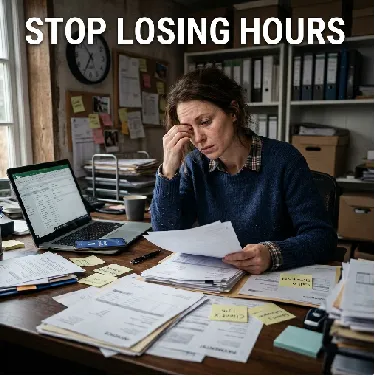
Then a busy week happens. Three jobs are running simultaneously. The front desk is overwhelmed. The day-two follow-up for a new lead does not happen. Then the day-five email. The lead cools. Books with a competitor. The business owner never knows exactly why.
That gap, between what the process is supposed to do and what actually happens under pressure, is the workflow execution gap. Automation closes it by removing the dependency on human memory and availability entirely.
The 6 Workflows That Have the Highest Impact for OC Service Businesses
1. New lead response and nurture
Trigger: new inquiry arrives from any channel. Actions: immediate acknowledgment, qualifying questions, day-two follow-up if no response, day-five follow-up, day-fourteen follow-up, long-term nurture entry if still not converted.
2. Booking confirmation and reminder
Trigger: appointment is scheduled. Actions: immediate confirmation, 48-hour reminder with confirm link, 24-hour reminder, team alert if unconfirmed with enough time to fill the slot.
3. Post-service follow-up
Trigger: appointment or job marked complete. Actions: satisfaction check-in at 24 hours, review request at 48 hours, upsell or next appointment prompt at 7 days if appropriate.
4. Unresponsive lead re-engagement
Trigger: lead has not responded in 30 days. Actions: re-engagement sequence with a new angle, low-frequency nurture if still no response.
5. Client reactivation
Trigger: client has not booked in a specified period, typically 60 to 90 days. Actions: reactivation message with a reason to return, follow-up if no response.
6. Review generation
Trigger: service completed and initial follow-up sequence completed. Actions: review request with one-tap link to Google profile.
What These Workflows Do for the Business Owner
When these six workflows run automatically, the owner's relationship with the business changes in a specific way. The business stops feeling like a system that requires constant attention to function. It starts feeling like a system that reports to the owner rather than requiring the owner to run it.
New leads get followed up. Appointments get confirmed. Completed jobs generate reviews. Dormant clients get reactivated. The owner sees the results in their dashboard and deals with exceptions and escalations rather than executing every step personally.
Frequently Asked Questions
Do I need to rebuild my existing processes to implement workflow automation?
Usually not. Most workflow automation starts from processes that already exist and automates the execution of steps that are currently manual. The process itself often does not change. What changes is that it runs automatically instead of depending on someone to initiate each step.
What happens when a workflow step fails or a customer responds unexpectedly?
Properly built workflows include exception handling. When a customer response falls outside what the workflow expects, it is flagged for human review rather than continuing automatically.
How long does it take to see results from workflow automation?
Workflows like lead follow-up and appointment confirmation sequences typically produce measurable results within the first 30 days. Review generation and client reactivation build over 60 to 90 days as the cadence compounds.
Can multiple workflows run for the same customer without conflicting?
Yes, when built with appropriate logic. A customer in a post-service follow-up sequence should not also receive a reactivation message at the same time. Properly configured workflows include conditions that prevent conflicting or redundant communication.
Key Takeaways
●Every service business has workflows. The problem is the dependency on human memory and availability to execute them correctly every time.
●The workflow execution gap, between what the process should do and what actually happens under pressure, is where revenue gets lost.
●The six highest-value workflows are lead response, booking confirmation, post-service follow-up, lead re-engagement, client reactivation, and review generation.
●When these workflows run automatically, the owner deals with exceptions and escalations rather than executing every step personally.
●Results from lead follow-up and confirmation sequences typically appear within 30 days. Review generation and reactivation compound over 60 to 90 days.
Ben Williamson is the founder of Orange County AI Guy, based in San Clemente, CA. He is an AI consultant and AIO specialist serving local Orange County businesses across every niche in all 30+ OC cities. Visit orangecountyaiguy.com to learn more.
Ready to explore what AI Systems can do for your Orange County business? Schedule a free Strategy Call -> https://api.leadconnectorhq.com/widget/booking/64FMtWKC7HC4z1hPc54Q